Search

How to open search with /, narrow it with an operator, save the search, and ask the AI search a question in plain words.

Practice inbox
Alia6Active4Snoozed1Done
  • JB
    Jonas BergFjordline Rentals09:12
    Charger 4 at Lysaker stops at 80%
    Jonas Berg: Three of our vans stopped charging at exactly 80% again this morning.
  • IA
    Ingrid AasMøller Transport08:40
    RFID chip for the new depot van
    Ingrid Aas: Can we get an RFID chip issued for the new van at the depot?
  • PN
    Petter NylandFjordline Rentals11:48
    Invoice 24187
    Petter Nyland: Six lines on the September invoice are roaming charges we do not recognise.
  • SR
    Silje RuudSkedsmo Depot09:30
    Load balancing at the Skedsmo depot
    Silje Ruud: Evening peak is tripping the main breaker again; two chargers stop at 80%.
Click here, then use your keyboard

Click the window, then press the keys. It reacts the way the app does.

Step 1 of 10
Open search

The operators

Quick search reads seven of them. Whatever text is left over matches the subject or the preview.

channel:status:from:agent:priority:tag:subject:

Use quotes for multi-word values: from:"John Doe"

The product says
What are you looking for?
AI search
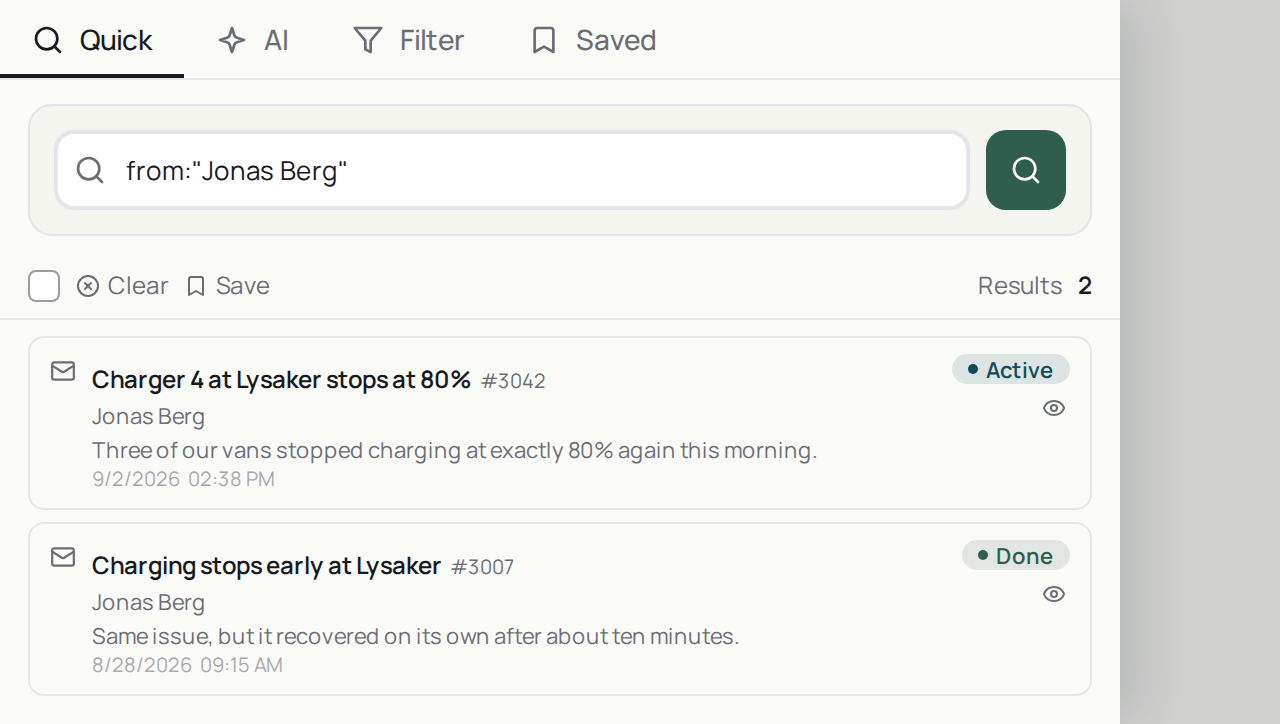
The search panel open over the workspace, with the Quick, AI, Filter and Saved tabs across the top and a results list below the input
Quick, AI, Filter and Saved share one panel. Save keeps a Quick search; the palette's Saved Searches row lists it too.
Do it now

Press / in the app and try from: with a customer's name.