The command palette and shortcuts
How to open the command palette, find an action by typing what you want, and use the key it shows beside each row.
Click the window, then press the keys. It reacts the way the app does.
The three kinds of keys
Places are chords that start with G, and the second key has a second to land: GthenI Active, GthenZ Snoozed, GthenD Done, GthenK Knowledge, GthenA analytics, Gthen, settings.
Actions are single letters, and they work when a conversation is selected and the caret is out of the reply box: T adds a tag, the row you just ran from the palette, D marks it as done, Z snoozes it, A assigns it, V applies a macro. ↵ opens the conversation, and ↑ and ↓ move through the list. In the list, V opens your saved views instead, and the number keys apply one.
The reply box has its own set, because a letter there is text: ⌘↵ sends, ⌘⇧↵ sends and marks as done, !! opens the snippet picker, ;; opens the action picker, and Esc hides the box.
What do you want to do?
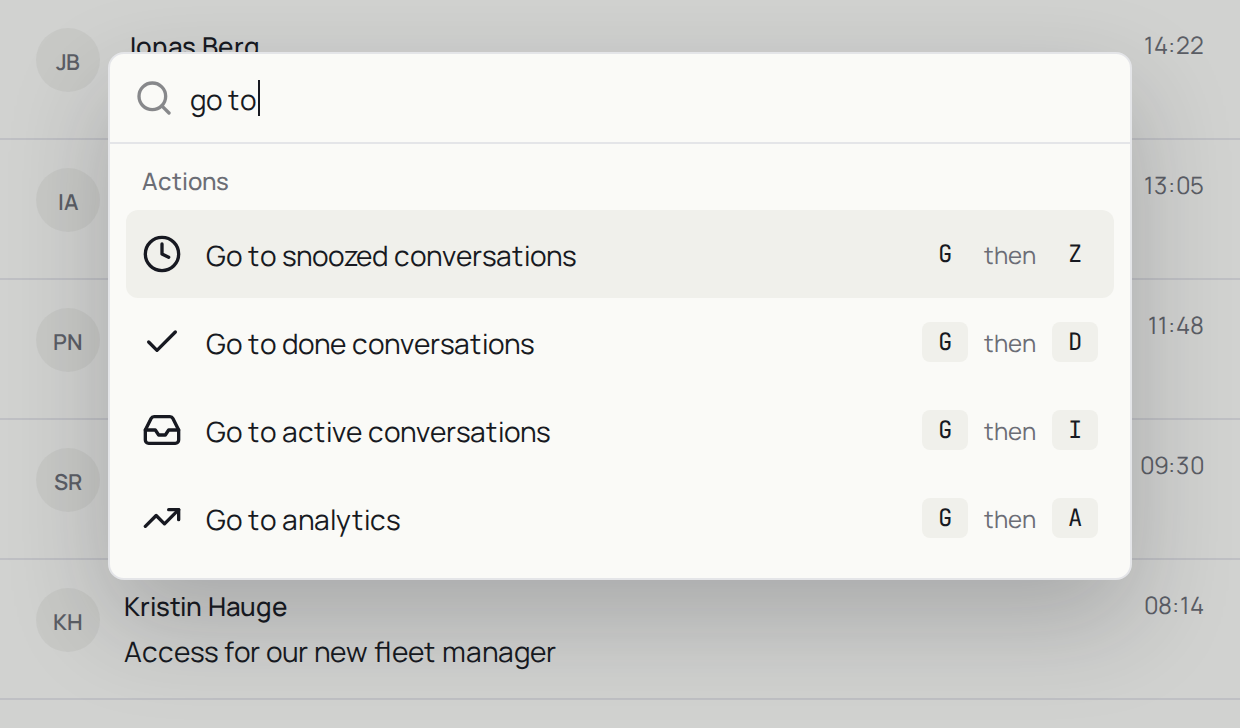
Open a conversation, press ⌘K, type "tag", and read the key beside the row.