Atender now speaks MCP: connect any AI agent to your workspace
We've shipped an MCP server — hand Atender's full API to an AI agent like Claude or Cursor and let it work your workspace directly, on your terms.
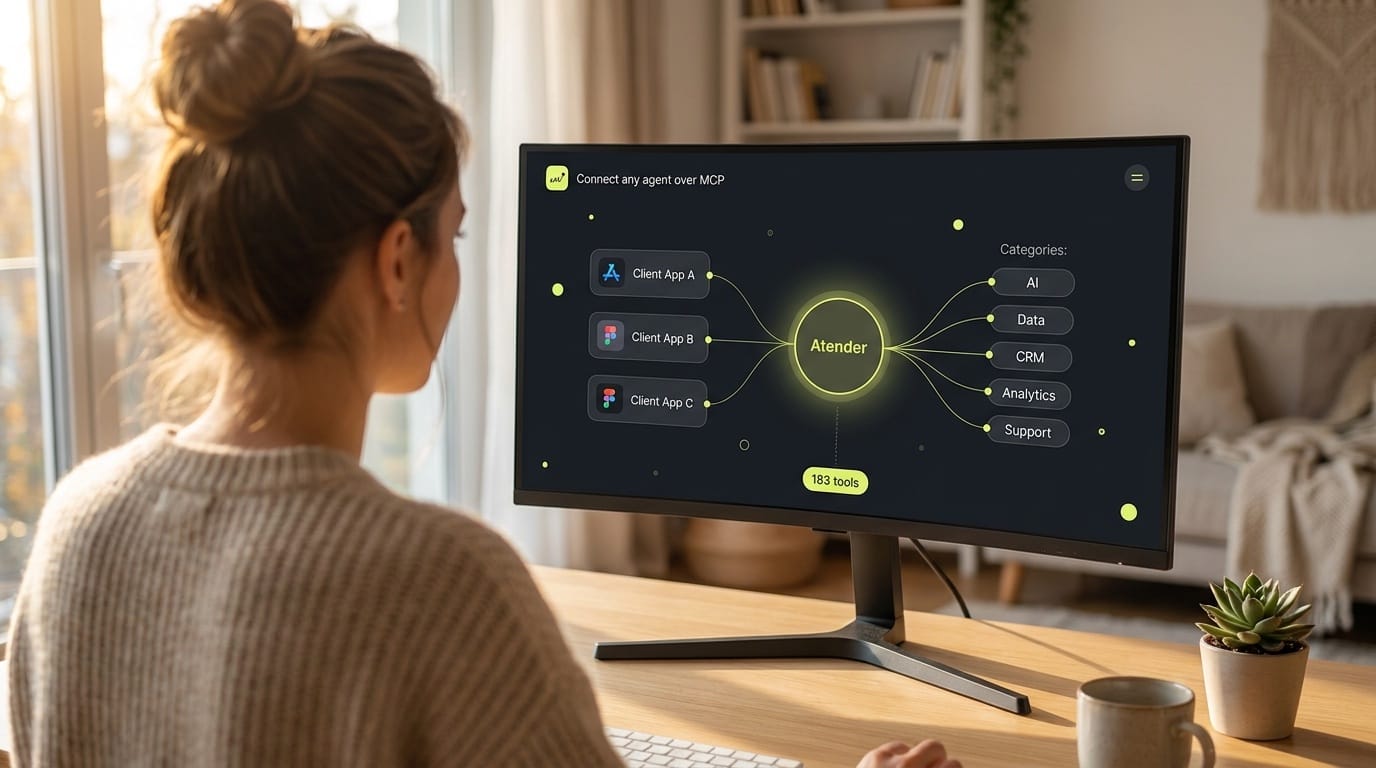
Atender has always had a public API. What's new is that you can now hand that same API to an AI agent and let it work your workspace directly — no glue code, no per-endpoint wiring. We've shipped a Model Context Protocol (MCP) server, and it turns Atender into something an assistant like Claude or a tool like Cursor can read from and act on, safely and on your terms.
If you've never heard of MCP, here's the short version: it's an open standard for connecting AI models to real tools and data. Think of it as a universal adapter. Instead of every assistant inventing its own way to talk to every app, MCP gives them one shared language. Point a compatible client at a server, and the tools that server offers light up automatically. Atender is now one of those servers.
One URL, and the tools appear
The entire setup is a single endpoint:
https://v3.atender.com/api/v1/mcpDrop that into your MCP client, authenticate, and the available tools load on their own. There's no per-tool configuration and nothing to map by hand. The server exposes the full Atender API — at launch that's 183 tools covering conversations, contacts, cases, the knowledge base, AI agent stacks, automations, analytics, and more. Each tool advertises its own parameters and the permission it needs, so the client can discover everything it's allowed to do the moment it connects.
Under the hood it runs over streamable HTTP and is stateless, which is a fancy way of saying it's a normal remote server that any compliant client can reach without special infrastructure on your side. It works today with Claude Code, Claude Desktop, Cursor, and any other remote-HTTP MCP client.
What you can actually do with it
The interesting part isn't the protocol — it's what an agent can do once it's connected. Because the MCP server fronts the whole API, the use cases are as broad as the product itself. A few that stand out:
Stand up an AI agent configuration by describing it. Setting up an agent stack — specialists, capabilities, playbooks, routing rules, tools — normally means clicking through a lot of screens. Over MCP, you can describe what you want in plain language and let the agent build it: create the stack, add a billing specialist and a technical-support specialist, write their playbooks, wire routing rules between them, and dry-run each one before enabling. The server even ships a built-in guide the agent can read first, so it builds a coherent configuration rather than a pile of valid-but-disconnected objects.
Bulk knowledge base work. Import articles and categories, publish drafts, retag, mark articles as reviewed, or run a search across your knowledge base — all driven by an agent working from a spreadsheet, a folder of docs, or a migration script you describe out loud.
Triage and operations. Ask an assistant to pull every conversation waiting on a reply, summarize the backlog, assign or transfer conversations, snooze the noise, open a case from a thread, and move cases through their workflow. The agent reads live data and takes the action in the same breath.
Reporting that writes itself. Point an agent at the analytics tools — volume, agent performance, goals, summaries — and have it assemble the weekly numbers, or answer a one-off question like "how did first-response time move last month" without anyone opening a dashboard.
The common thread: anything your team does through the product, an agent can now do through the server — as long as you've granted it permission.
How you authenticate
There are two ways to connect, and which one you pick depends on whether a machine or a person is doing the connecting.
API key. A workspace token sent as a standard Authorization: Bearer sa_live_… header. This is the right choice for headless setups — servers, scripts, scheduled jobs, or a shared client you configure once and leave running. You create a key in the dashboard under Settings → API Access, and the connection inherits exactly the permissions you set on that key. Adding the server in Claude Code, for example, is a single command:
claude mcp add --transport http atender https://v3.atender.com/api/v1/mcp \
  --header "Authorization: Bearer sa_live_YOUR_KEY"
OAuth, as an owner. When a person is connecting their own MCP client, OAuth is cleaner — no key to copy around. The client opens a browser, you sign in, and you approve the specific scopes it's asking for. Atender advertises itself as an OAuth-protected resource, so clients that support OAuth wire themselves up automatically: they discover the authorization server, register themselves through dynamic client registration (nothing to pre-create), and run an Authorization Code flow with PKCE. You get an access token with refresh, and you can revoke the connection at any time.
One important guardrail: authorizing an OAuth connection requires a user with owner status on the workspace. And no matter how the connection is made, permission is least-privilege by design. An OAuth grant can never hand a client more access than the person approving it actually holds — the requested scopes get intersected with what that user is entitled to. API keys carry only the scopes you assigned them. Access is granular across every resource family — contacts, conversations, cases, knowledge, settings, webhooks, and the rest — each with separate read and write permissions where it makes sense.
Rate limits apply per key by plan tier (and OAuth connections share a per-workspace ceiling). Every response carries X-RateLimit-* headers so a client can pace itself, and a 429 tells it a per-minute, per-day, or burst limit was hit.
API or MCP — which should you use?
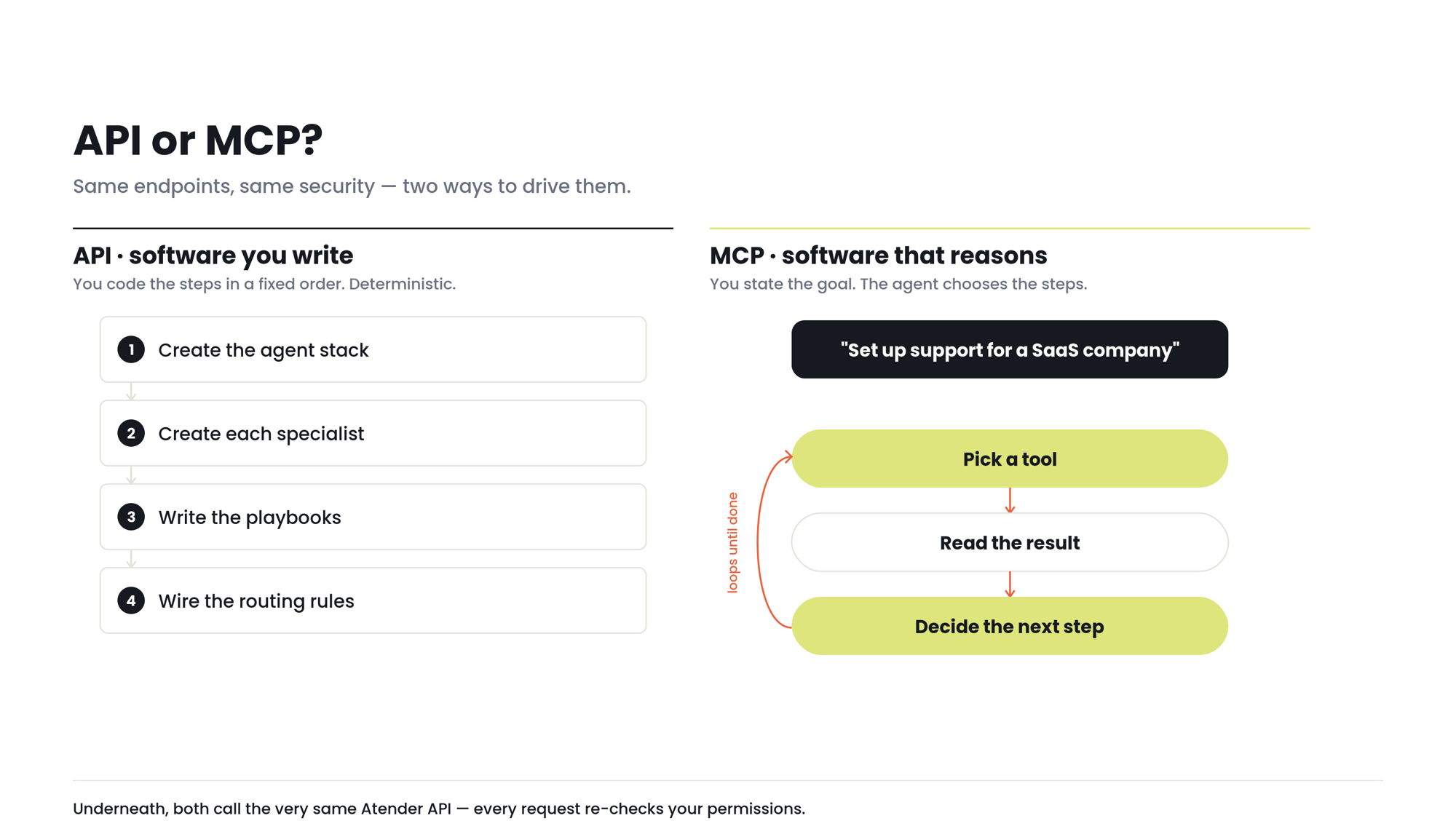
This is the question we get most, and the honest answer is that they're the same capability wearing two different hats.
The API is for software you write. You're in control of the calls: your code decides which endpoint to hit, in what order, with what data, and how to handle the response. It's deterministic and precise — the right tool when you're building an integration, syncing systems, or automating a known workflow where you've already worked out every step. If you can describe the logic as a flowchart, the API is what you want.
The MCP server is for software that reasons. It hands the same endpoints to an AI agent and lets the agent decide which tools to call to accomplish a goal you've stated in plain language. You don't write the sequence; the model figures it out, calls a tool, reads the result, and calls the next one. It's the right tool when the steps aren't known in advance, or when you'd rather describe the outcome than code the path to it.
A concrete way to see the line: imagine onboarding a new client's support setup. With the API, you'd write a script that creates the stack, then the specialists, then the playbooks, in a fixed order you coded yourself. With MCP, you'd tell an assistant "set up a support agent for a SaaS company with billing and technical tiers," and it would make those same calls — but choosing them itself, adapting as it goes, and asking you when something's ambiguous.
Crucially, it's the same engine underneath. The MCP server doesn't reimplement anything; every tool call is dispatched to the very same API endpoint the product uses, which re-checks your permissions every time. So whichever hat you choose, you get identical behavior, identical security, and identical results. Many teams will use both — the API for the rigid, high-volume integrations, MCP for the exploratory, conversational, and one-off work.
Getting started
Open your MCP client, add https://v3.atender.com/api/v1/mcp, and authenticate with an API key or OAuth. The tools load themselves, and the exact list — plus the scope each one needs — is discoverable straight from the server once you're connected. Full setup snippets for Claude Code, Claude Desktop, and Cursor live in the MCP docs.
It's the same Atender you already run — now with a door open for the agents you want working alongside your team.
Sources: Atender MCP Server docs · Atender Docs hub